Emoku
📚 Emoku — Player Manual
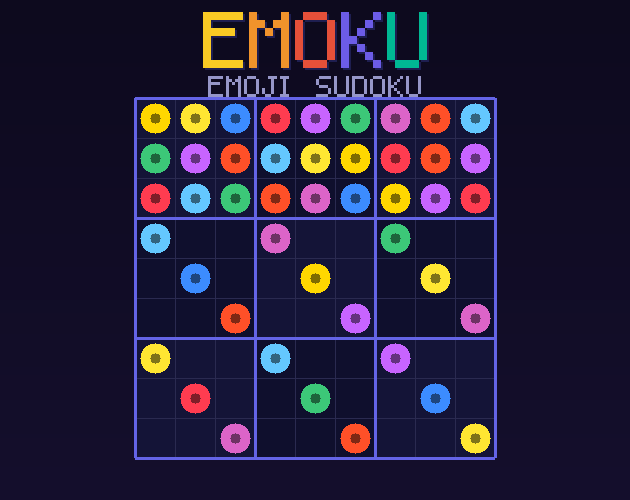
Emoji Sudoku — beautifully weird 🎉
🎯 Objective
Fill every row, column, and 3×3 box with all 9 emojis — each emoji appears exactly once per row, column, and box. It's classic Sudoku, but way more delightful!
🌟 The 9 Emojis:
🕹️ Controls
🖱️ Mouse / Touch
- 🖱️ Click a cell — select it
- 🎨 Click an emoji in the palette — place it in the selected cell (or select it first, then click a cell)
- ⌫ Click the ⌫ erase button — clear the selected cell
- 📱 Tap — all of the above on mobile/tablet
⌨️ Keyboard
- ⌨️ 1–9 — place the corresponding emoji (1=🌟, 2=🔥 … 9=🚀)
- ⬆️⬇️⬅️➡️ Arrow keys — move the selection
- 🗑️ Backspace / Delete — erase the selected cell
- 📝 N — toggle notes mode on/off
- ↩️ Ctrl+Z — undo last move
📊 Difficulty Levels
- 😊 Easy — 36 clues given. Great for beginners!
- 🤔 Medium — 28 clues given. Needs some logic.
- 😤 Hard — 22 clues given. Only for the brave!
🎨 Visual Cues
- 🔵 Blue highlight — the currently selected cell
- 🟣 Purple tint — cells in the same row, column, or 3×3 box as the selected cell
- ✨ Matching emoji glow — other cells showing the same emoji as the selected one
- 🔴 Red background — a conflict! Two of the same emoji in the same row, column, or box
- 🟢 Green count — emoji count in the palette turns green when all 9 of that emoji are placed
📝 Notes Mode
Enable Notes Mode (toggle button below the palette) to pencil in candidate emojis. In notes mode, clicking an emoji adds it as a small candidate note to the cell instead of placing it. Notes are automatically cleared from related cells when you fill in a definitive answer.
💡 Tips & Tricks
- ✅ Start with rows, columns, or boxes that are almost complete — they're easiest!
- ✅ Use the row/column/box highlight to spot where emojis can go.
- ✅ The emoji count badges in the palette tell you how many of each are left to place.
- ✅ When an emoji count badge turns green, you've placed all 9 of that emoji — one down, eight to go!
- ✅ Use notes mode to mark possibilities, then eliminate them as you fill in other cells.
- ✅ Use hints sparingly — you only get 3 per game!
- ✅ Undo is unlimited — experiment freely.
❓ FAQ
Q: Is there always a unique solution?
✅ Yes! Every puzzle generated by Emoku is guaranteed to have exactly one solution.
Q: What happens when I make 3 mistakes?
💀 The game ends! The mistake counter (3 dots below the grid) tracks your errors. Try to avoid red conflict cells!
Q: Can I undo a hint?
↩️ No — hint cells are locked in like given clues. Use them wisely!
Q: Does the timer stop when I win?
⏱️ Yes! Your finish time is shown on the win screen. Beat your personal best!
Q: Does it work offline?
🌐 Absolutely — Emoku runs entirely in your browser with no internet needed.
Development log
Leave a comment
Log in with itch.io to leave a comment.