MR Triangle Splash
📚 MRTriangleSplash — Manual
An Aquatic Triangular Tetris Odyssey 🌊🕹️
🎯 Objective
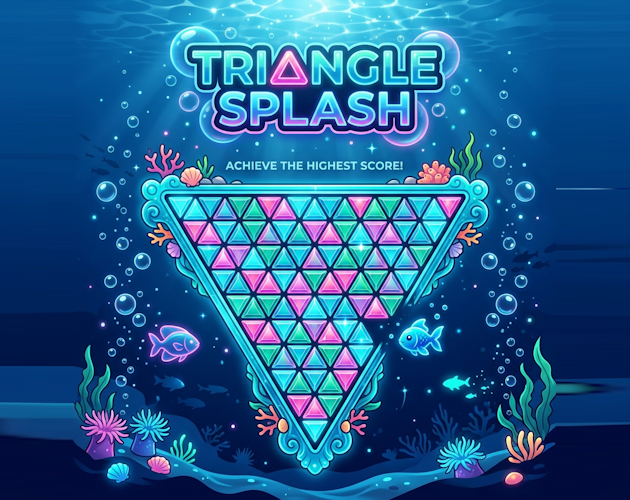
Welcome to the depths of the ocean! 🌊 In MRTriangleSplash, your objective is to stack falling geometric shapes made of small triangles onto a downward-pointing triangular grid (vertex at the bottom).
As rows fill completely from side to side, they clear, earning you score points. However, because the board is a triangle pointing down, the space gets narrower as pieces fall! This makes the early game stacking near the bottom extremely difficult, while higher rows provide more width and breathing room.
🕹️ Controls
⌨️ Keyboard Controls
- ◀️ Arrow Left / A Shift piece left (flips triangle cells)
- ▶️ Arrow Right / D Shift piece right (flips triangle cells)
- ▼️ Arrow Down / S Soft drop (speed up gravity slide)
- ▲️ Arrow Up / W / X Rotate 60° Clockwise
- 🔄 Z / Left Ctrl Rotate 60° Counter-Clockwise
- ⚡ Spacebar Hard drop (instant drop & lock)
- 📥 C / Shift Hold / swap piece
- ⏸️ Esc / P Pause / Unpause Game
📱 Touch / Mobile Controls
When playing on a mobile browser, a virtual gamepad overlays automatically at the bottom of the screen:
- ◀️ Left Button — Shift active piece left
- ▶️ Right Button — Shift active piece right
- ▼️ Down Button — Soft drop gravity slide
- 🔄 Rotate Button — Rotate piece 60° clockwise
- ⚡ Lightning Button — Hard drop active piece immediately
🏠 Main Menu
When you launch the game, the title screen shows animated splash art and a glowing START GAME button on the hero image.
- 🎲 A random track is selected when the menu loads. If your browser blocks autoplay, click or tap anywhere once to start the music.
- 🎵 Pick a vibe before diving in: Ocean Floor, Coral Reef, or Splash Energy.
- 🔊 Adjust Music and SFX volume separately from the bottom dock (both default to 30%).
⏸️ Pause Menu
Press Esc or P during a run to open the pause overlay:
- 🌊 RESUME GAME — continue where you left off
- 🔄 RESTART — start a fresh run immediately
- 🏠 MAIN MENU — return to the title screen (music keeps playing)
🎵 Audio & HUD
During gameplay, the left sidebar Beats panel lets you switch tracks and tweak volume without leaving the board.
- 🎵 Same three tracks as the main menu — tap to switch anytime.
- 🎚️ Independent Music and SFX sliders.
- 🔁 Your selected track carries over from the menu into the game.
💡 Tips & Tricks
- ✨ The Splash Mechanic: When a row is cleared, everything above it slides down. However, the outer corner cells of the falling rows will overflow and fall off the edge of the triangle, splashing away into the ocean. Use this strategically to discard unwanted garbage blocks!
- ✨ Look at the Ghost: The dashed projection outline shows exactly where your active piece will land. Rely on it to align your shots!
- ✨ Hold pieces: Stash difficult pieces like the 4-cell Anchor (Triforce) in your Hold slot until the stack is higher and wider.
- ✨ Higher Rows yield more points: Clearing row 11 gives 12x more points than clearing the bottom row 0! Try stacking high and clearing top rows for massive combo multipliers.
❓ FAQ
Q: Why do pieces change orientation when moving sideways?
A: A triangular grid consists of alternating up-pointing (▲) and down-pointing (▼) cells. When a piece shifts horizontally by one step, it lands on cells with opposite orientations, meaning the individual triangles within the piece must flip to align with the grid!
Q: How does the music system work?
A: Choose from three underwater tracks on the main menu or in-game Beats panel. Music and SFX volumes are separate. If MP3 files are missing, a built-in Web Audio synthesizer generates ambient sea beats and chime sound effects automatically.
Q: Why didn't my high score save on itch.io?
A: Some browsers limit storage inside embedded game frames. Scores still work during your session; if saving fails, the game keeps running with default leaderboard entries instead of crashing.
Development log
- 🌊 MRTriangleSplash 🎮5 days ago
Leave a comment
Log in with itch.io to leave a comment.